


Overview
Daily Logs in Riskcast provide a centralized way to capture, track, and review day-to-day job site activity. They serve as a digital record of what happened on a project each day, helping teams improve visibility, accountability, and communication across the field and office.
Daily Logs are essential for documenting labor, production, weather conditions, and any notable events that may impact project progress or costs.
Where to Find Daily Logs
Daily Logs can be accessed within the Daily Logs module OR via the Timecards Module → Reports tab. They are tied to specific jobs/projects and can be reviewed by date.
How to Create a Daily Log Report
Follow the steps below to create and complete a Daily Log in Riskcast:
- Go to Time Cards & Payroll module
- Click on More (three dots)
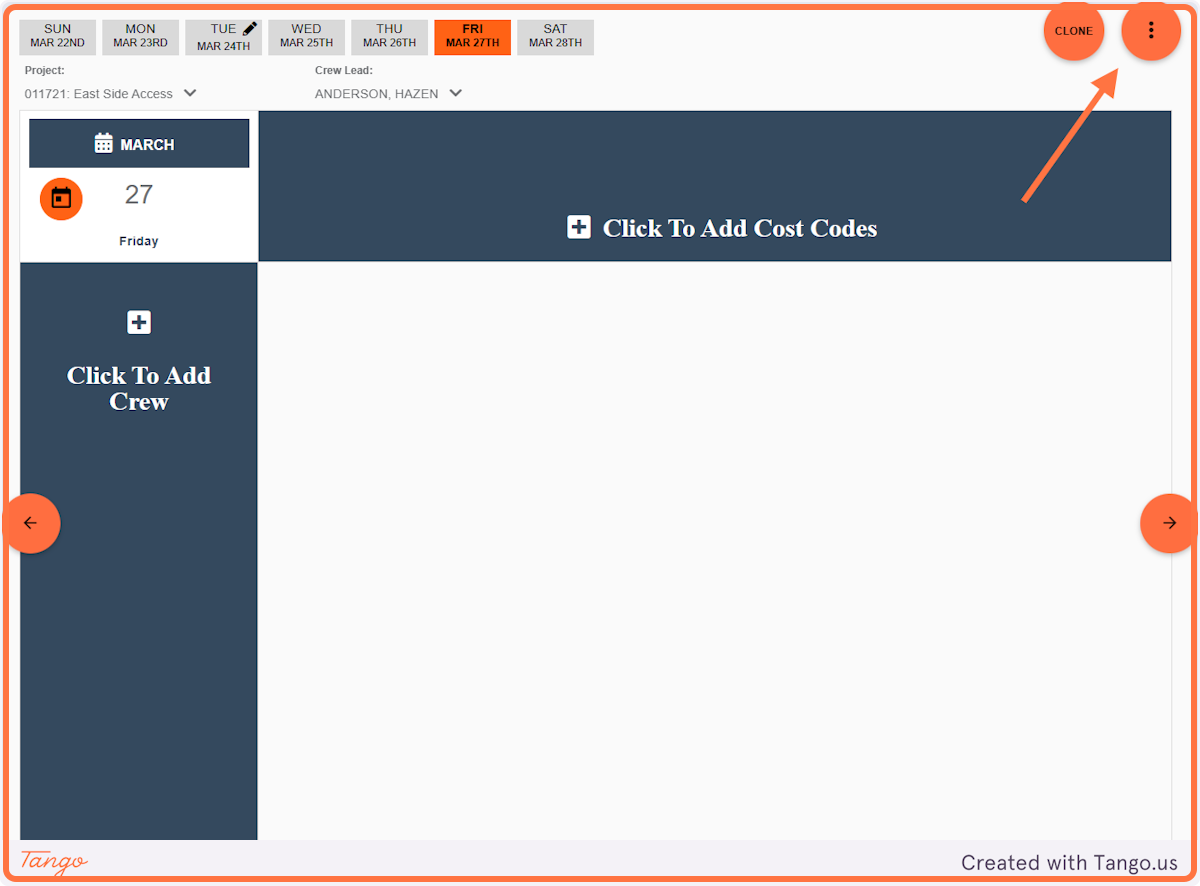
3. Click on Reports
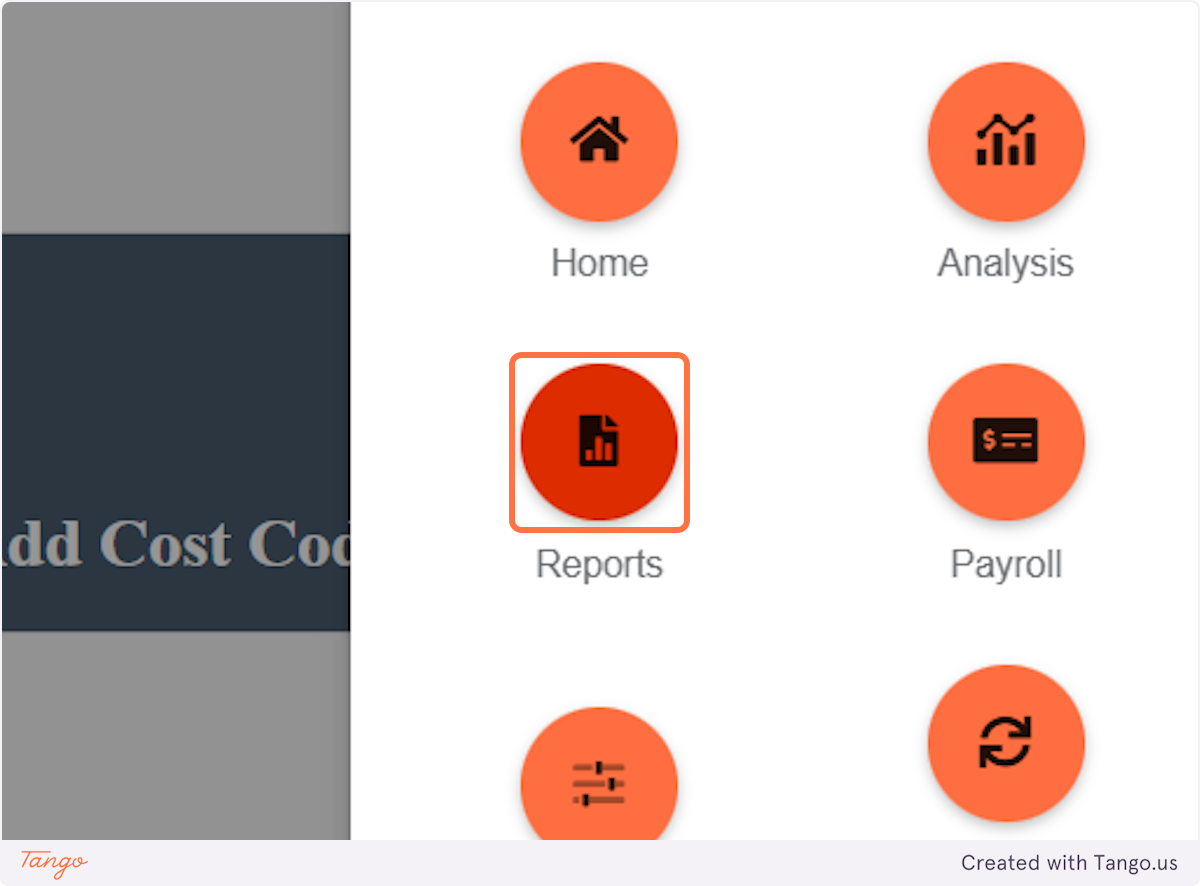
4. Select your Project and Date Range then click RUN
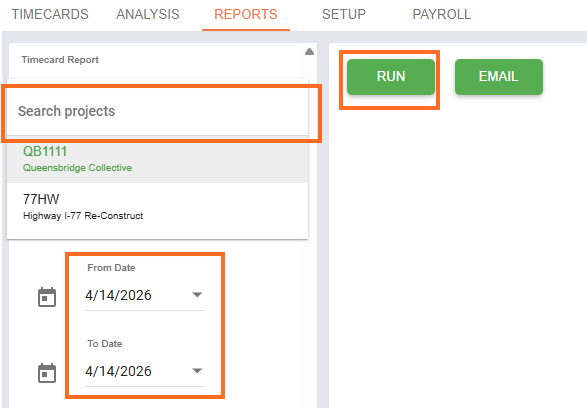
5. View Daily Report and Email, if desired
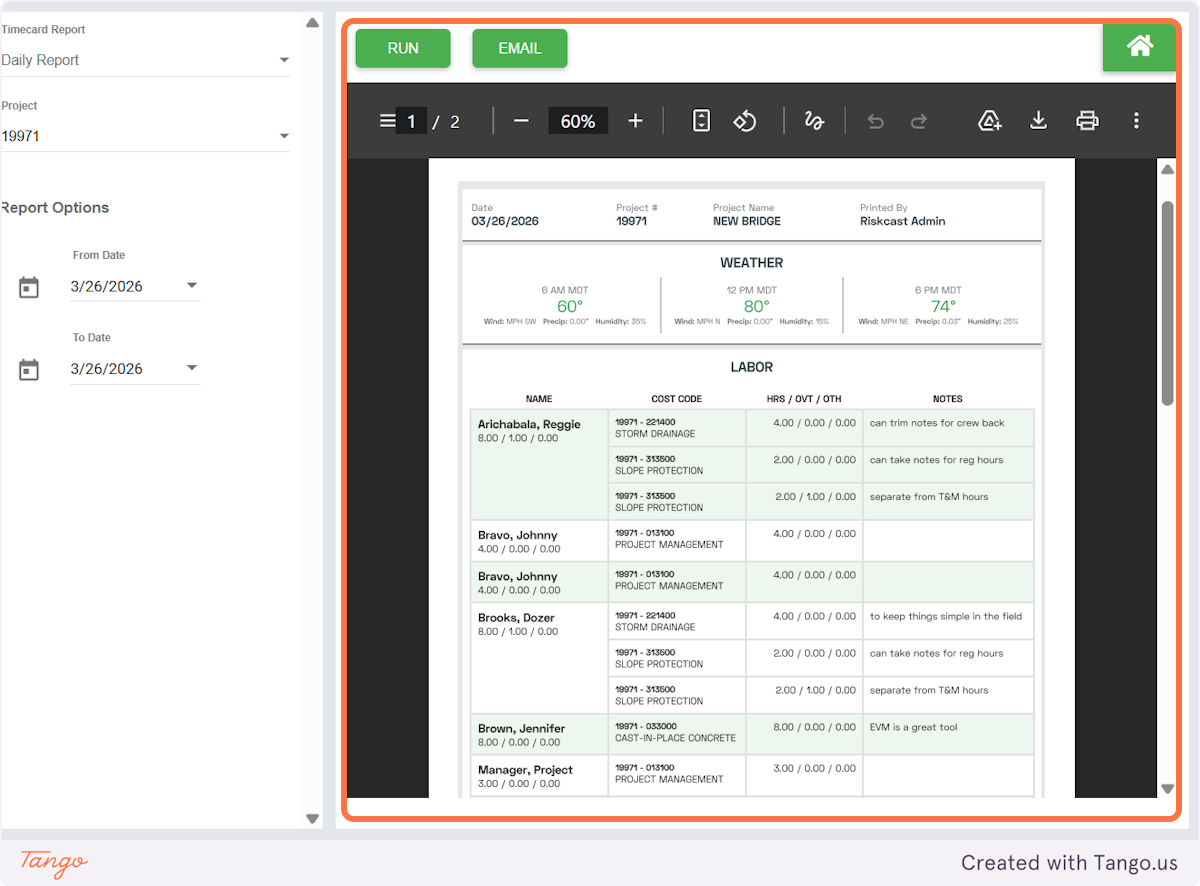
Key Components of Daily Logs
1. Labor Activity
Daily Logs capture who worked on-site, along with the hours they logged.
Why it matters:
- Provides a clear record of workforce activity
- Supports payroll validation and labor tracking
- Helps project managers understand crew utilization
Common use case:
Reviewing which crew members were on-site and how many hours were worked on a given day.
2. Production Tracking
Daily Logs allow teams to record quantities of work completed (e.g., units installed, areas completed, etc.).
Why it matters:
- Tracks progress against project goals
- Supports productivity analysis (units per hour)
- Helps identify performance trends or delays
Common use case:
Logging how much concrete was poured or how many fixtures were installed in a day.
3. Weather Conditions
Weather data can be recorded as part of the Daily Log to document environmental conditions affecting the job site. A job site location must be provided to pull in weather data.
Why it matters:
- Provides context for delays or reduced productivity
- Supports claims or dispute resolution
- Helps maintain accurate project records
Common use case:
Documenting rain or extreme temperatures that impacted work schedules.
4. Notes & Job Site Events
Daily Logs include a section for general notes, observations, and key events.
Why it matters:
- Captures important details not reflected in time or production data
- Creates a historical record for project documentation
- Improves communication between field and office teams
Common use case:
Recording equipment issues, safety incidents, inspections, or coordination with other trades.
5. Attachments (Photos & Documents)
Users can upload photos or supporting documents directly to the Daily Log.
Why it matters:
- Provides visual documentation of progress or issues
- Strengthens project records for reporting or claims
- Enhances transparency and accountability
Common use case:
Uploading site photos to show completed work or document field conditions.
Best Practices
- Complete Daily Logs at the end of each workday for accuracy
- Be detailed but concise in notes and descriptions
- Include photos when relevant to support documentation
- Ensure consistency across all projects and supervisors
- Review logs regularly to monitor progress and address issues early
Summary
Daily Logs in Riskcast are a critical tool for capturing the full picture of job site activity. By consistently maintaining Daily Logs, construction teams can improve project tracking, strengthen documentation, and ensure better alignment between field operations and office management.

