

JHA Reporting & Tracking
Last updated: Apr 27, 2026
143
views

Reporting & Tracking
Navigate to:
JHA → Reports
What You Can Track
Within the JHA Reports section, you can monitor:
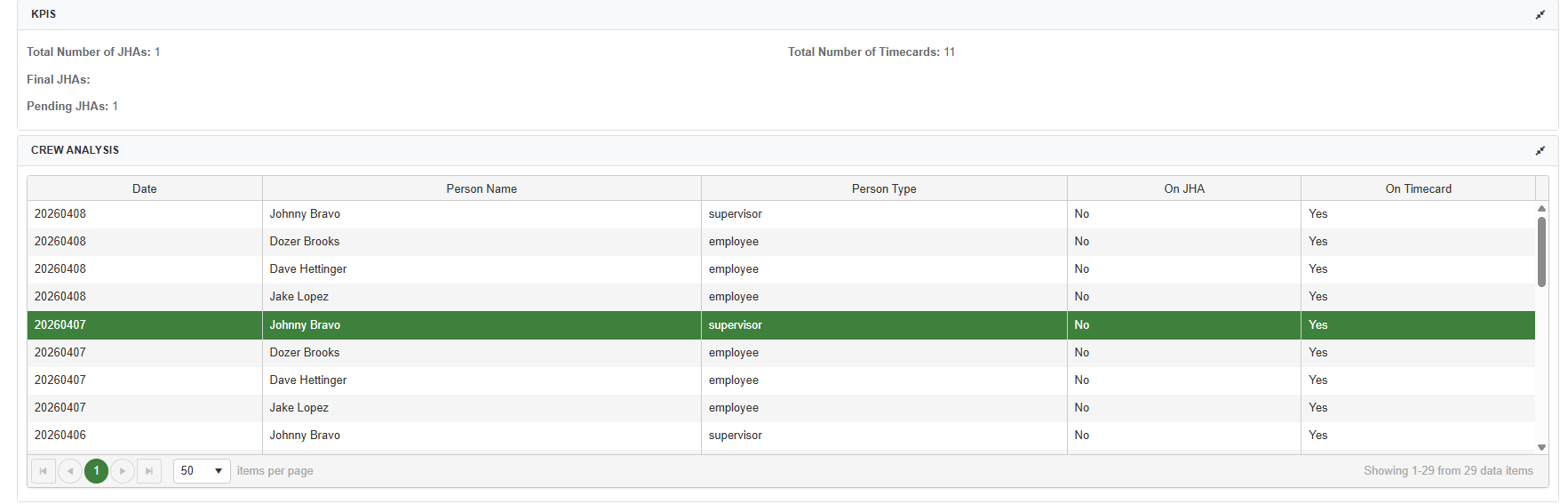
- Total JHAs vs. Timecards – Compare safety planning activity against labor activity
- Draft vs. Submitted JHAs – Identify incomplete or unsubmitted records
- Crew Participation – See which crews are actively completing JHAs
- Missing or Incomplete JHAs – Quickly spot gaps in compliance
Why It Matters
JHA reporting provides visibility into how consistently safety planning is being completed across your organization. Regularly reviewing this data helps you:
- Ensure compliance with internal safety requirements
- Identify teams or projects that may need additional training or oversight
- Catch missing or incomplete JHAs before they become larger issues
- Reinforce accountability across crews
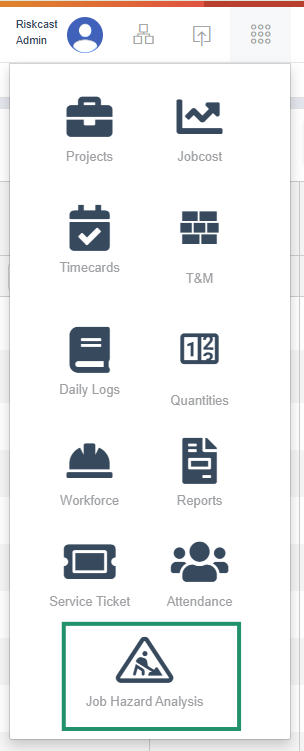
To view JHA Reporting, take the following steps:
1. Open JHA Module
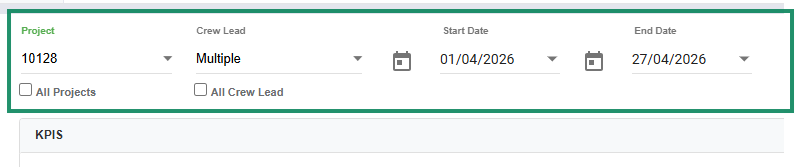
2. Apply filters (e.g., date range, project, crew, status) to refine your results
3. Review results, which will update automatically based on your selected filters
Exporting JHAs
- You can bulk download Final/Completed JHAs directly from the report view
- Use exports for audits, compliance documentation, or internal reviews

Best Practices
- Review reports regularly (weekly is recommended) to stay ahead of compliance gaps
- Use filters strategically to focus on specific crews, projects, or timeframes
- Follow up quickly on missing or draft JHAs to ensure timely completion
- Leverage exports when preparing for safety audits or external reporting

