


Set Up JHA Data (Categories, Tasks, Hazards, etc.)

Mar 26, 2026
 11
11
Set Up JHA Data (Categories, Tasks, Hazards, etc.)
JHAs are powered by structured data that connects work activities to risks and controls.
Core Components
| Component | Description | Example |
|---|---|---|
| Category | Type of work | Concrete |
| Task | Specific activity | Pouring concrete |
| Hazard | Potential risk | Slips, burns |
| Control | Preventive measure | PPE, clean work area |
| Safety Consideration | Site-wide condition | Crane activity |
| PPE | Required equipment | Gloves, hard hat |
How Data Works Together
JHAs rely on relationships:
- Category → Task
- Task → Hazard
- Task → Control
This ensures that when a user selects a task, only the relevant hazards and controls appear.
How to Populate Data
You have two options:
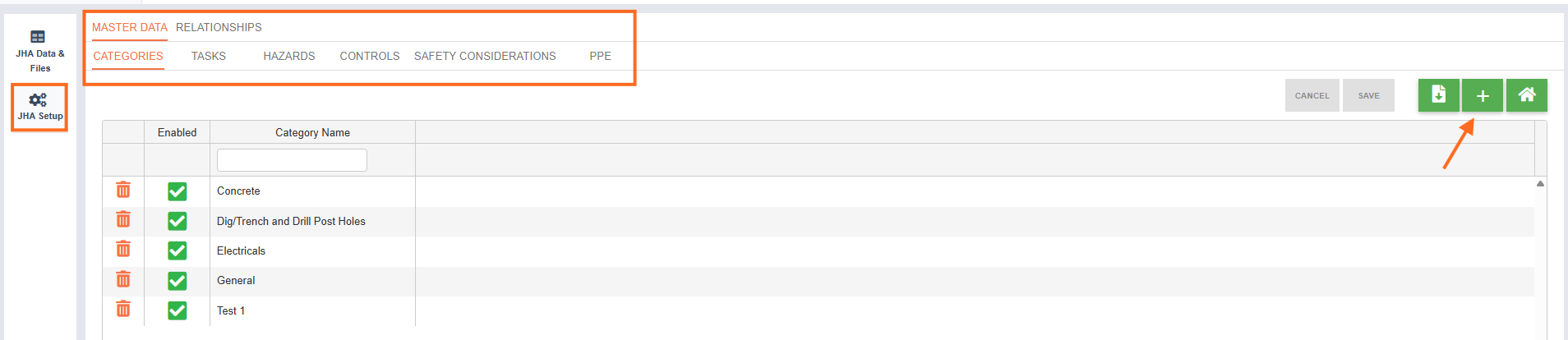
Option 1: Manual Entry
- Add categories, tasks, hazards, and controls directly in Riskcast
- Best for small setups or quick edits
- Tip: Ensure you have the applicable component selected before adding.
Option 2: Upload Template (Recommended)
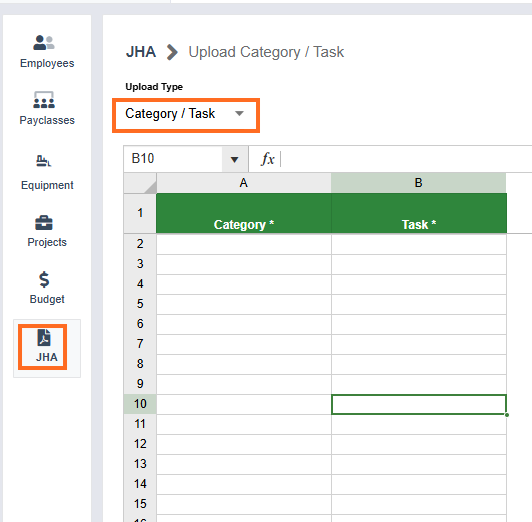
- Use the JHA data template to bulk upload:
- Categories
- Tasks
- Hazards
- Controls
- Relationships
- Tip: Ensure you have the applicable upload type selected before doing your upload.
Best Practice: Start with a small, clean dataset and expand over time

