98
98
The intent of this article is to show the link between creating crews/assigning employees to a crew lead and the crew Roster selection within the time card.
Follow the steps below to create a crew. Notably, assigning one or more employees as crew leads and then assigning employees/equipment to that crew lead.
1. Navigate to the Organization section and into the People option.
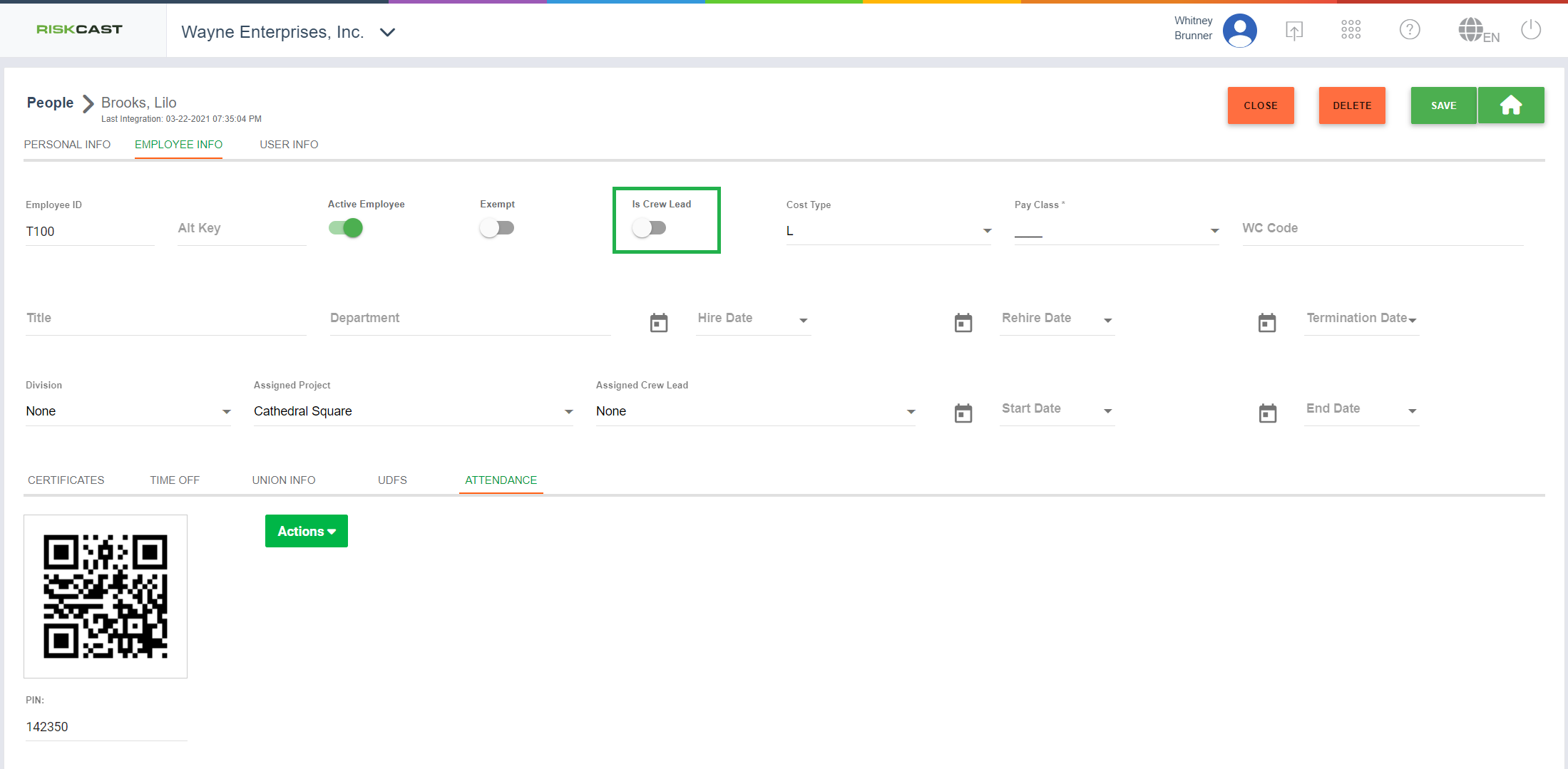
2. Find a person that is a crew lead. Edit their record and navigate to the "Employee Info" tab. To note this employee as a crew lead, toggle the "Is Crew Lead" option to "ON". When this happens, the "Assigned Crew Lead" will fill in with the employee's own name and become read only. Now we can add other employees to this employee's crew.
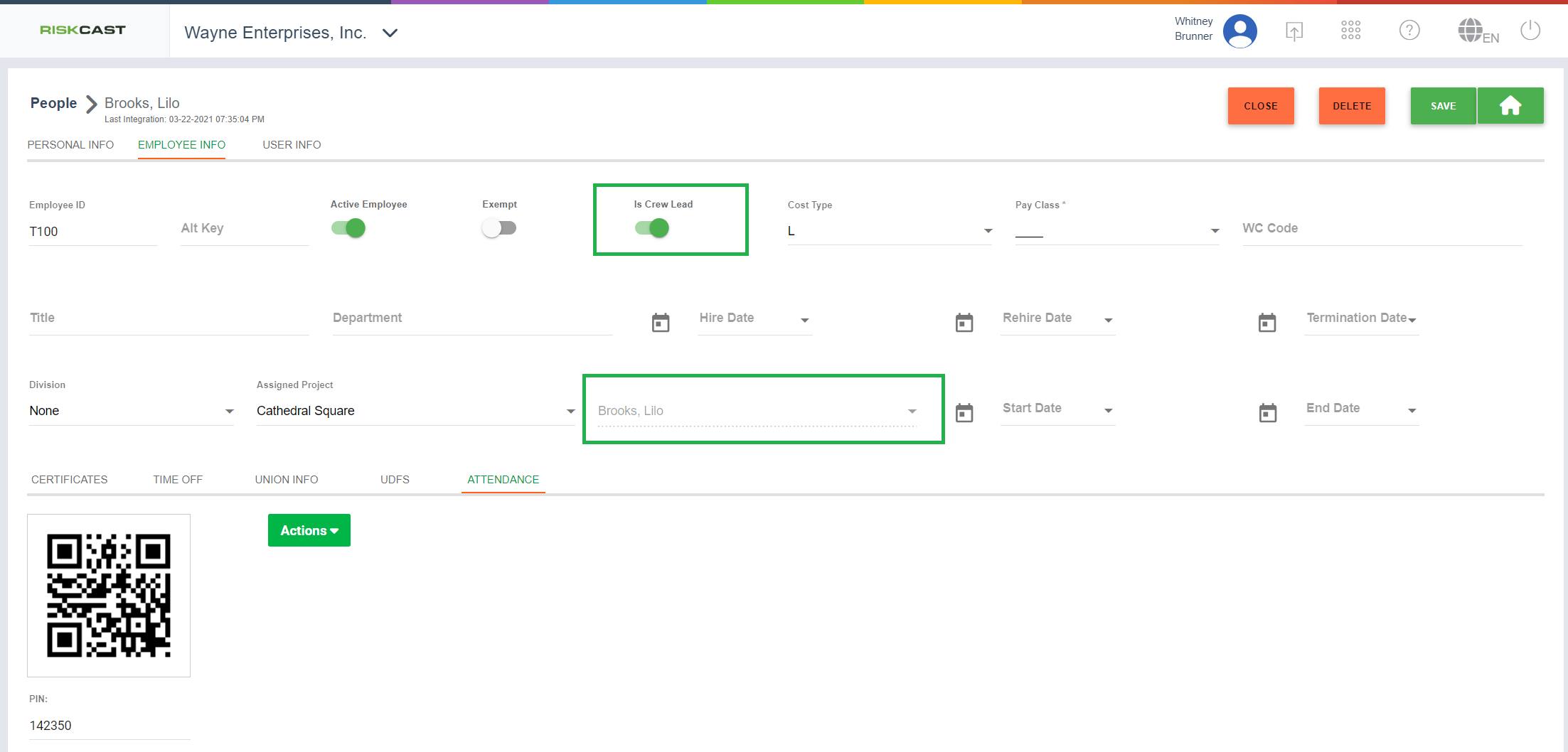
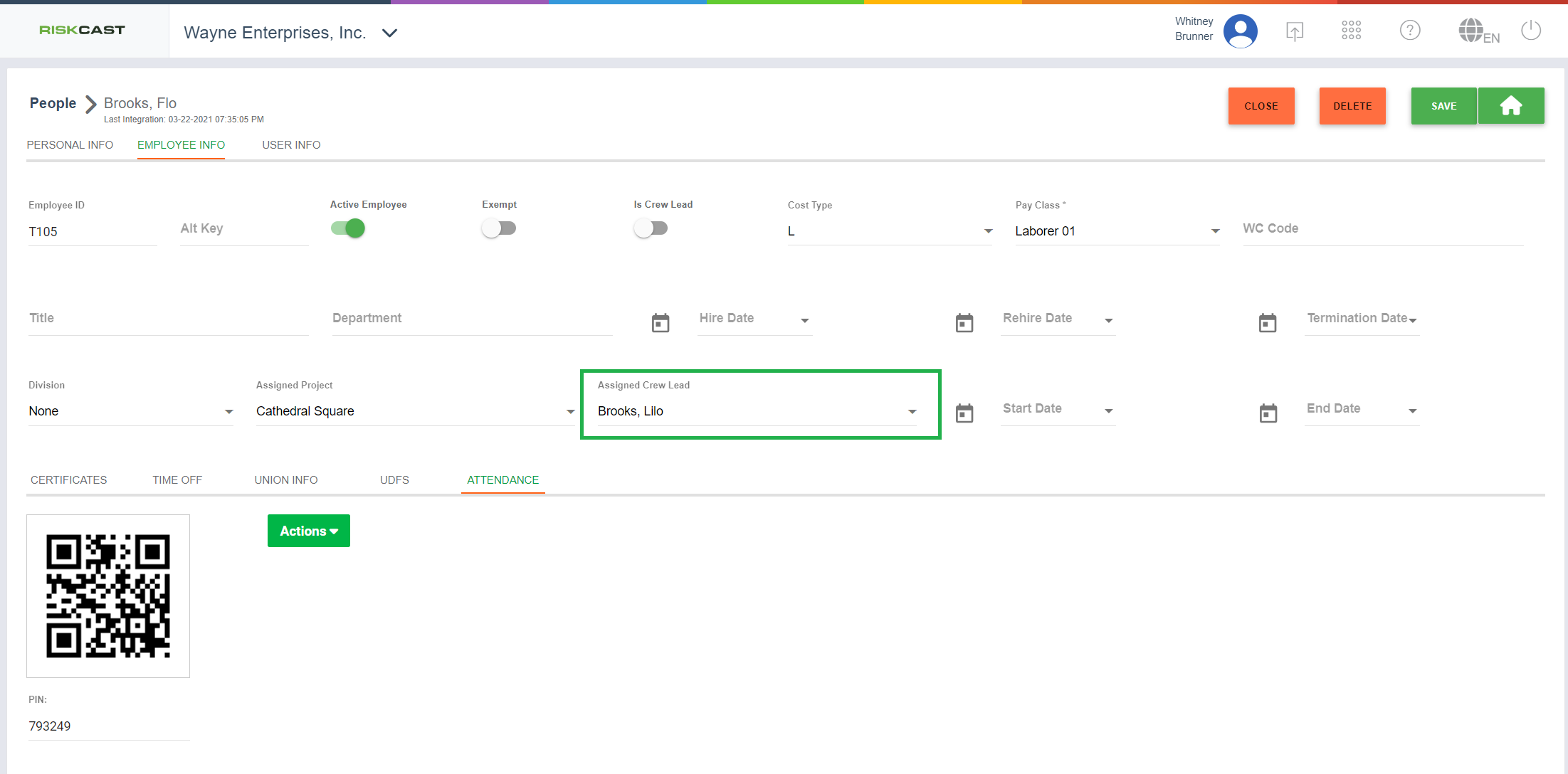
3. Navigate to another employee's record who is on this crew lead's crew. Change the "Assigned Crew Lead" drop down to show the previously created crew lead's name.
4. Now let us set up a piece of equipment. To do this, within the "People & Equipment" area, navigate to the "Equipment" tab and select a piece of equipment that is related to the crew lead previously set up. Note, this is not required at all, but can make dispatching more efficient.
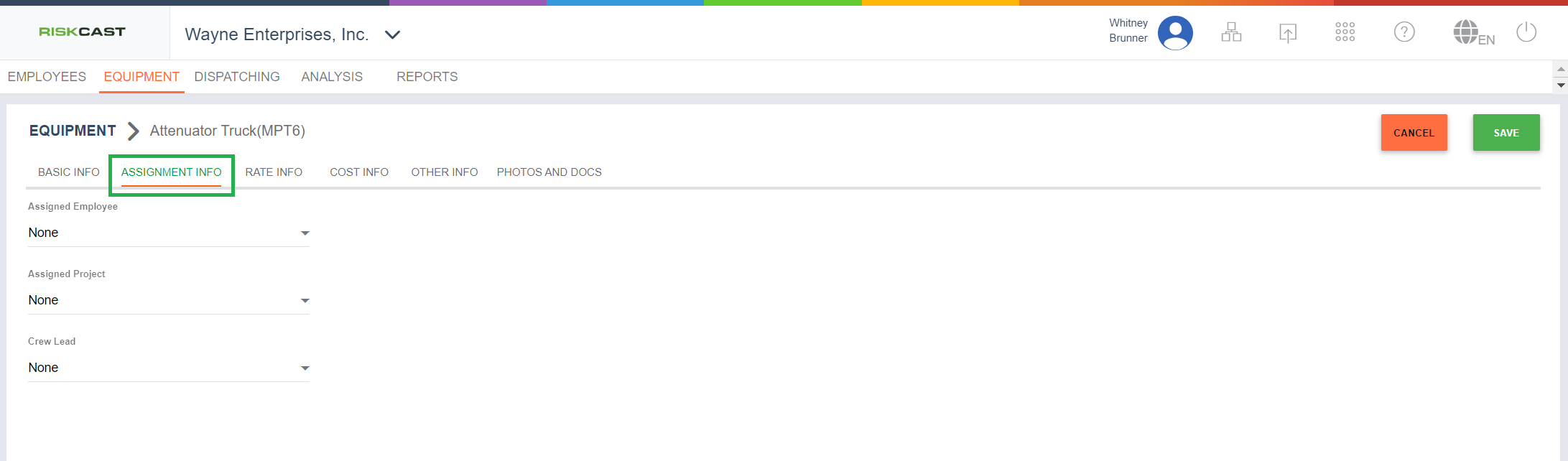
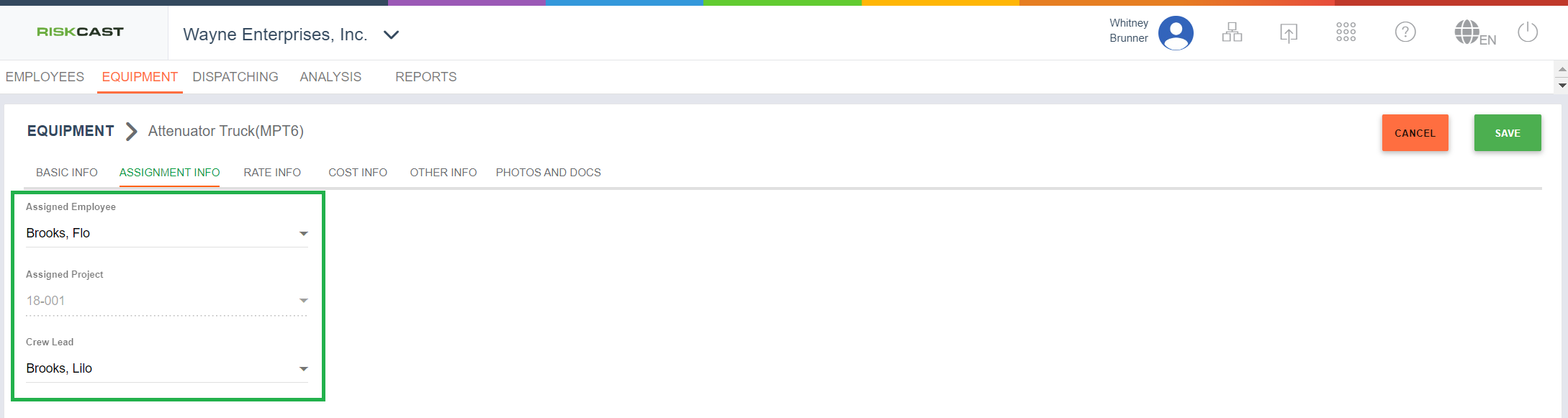
5. Navigate to the "Assignment Info" tab. Most likely, the "Assigned Employee", "Assigned Project", and "Assigned Crew Lead" are blank. Fill those in as needed with these notes:
- The Assigned Employee and Assigned Crew Lead do not have to be the same person. The Assigned Employee could be a person within the crew.
- If the piece of equipment has an Assigned Employee, then the Assigned Project will fill in automatically based on that Employee's assigned project.