65
65
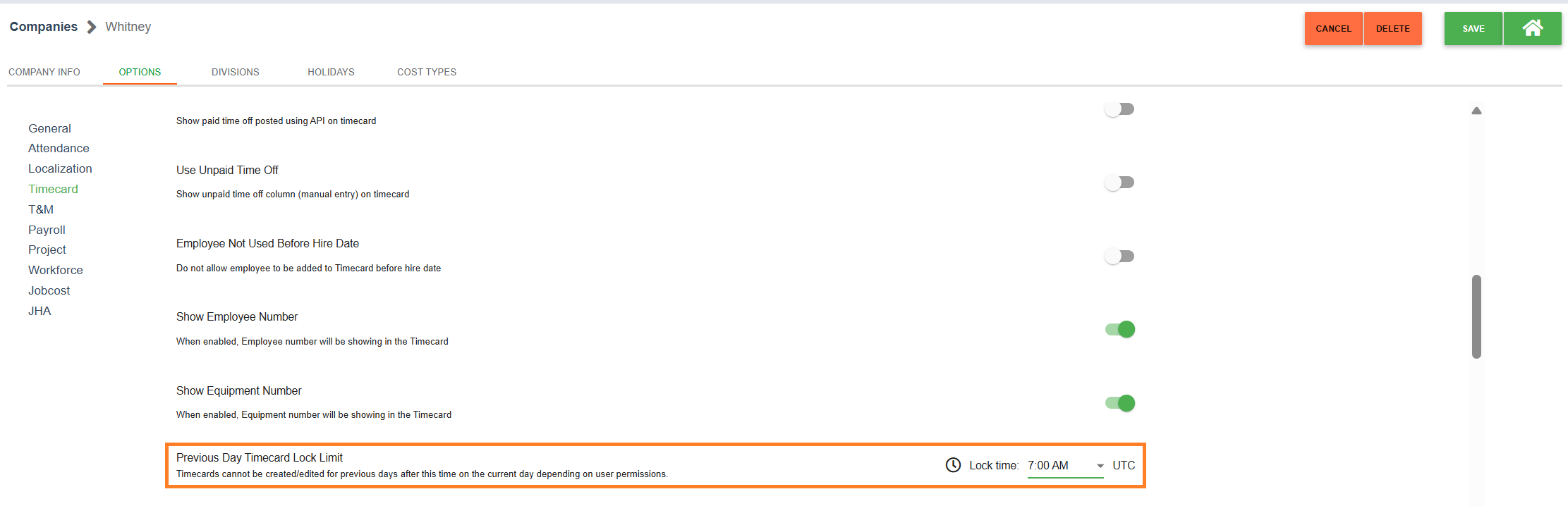
Within each company, an option exists at the company level within the timecard level to set a time at which previous days timecards will lock for creation/editing depending on user permissions. By default, this lock time is set at 7:00 AM for the time zone selected within the Company Info tab.
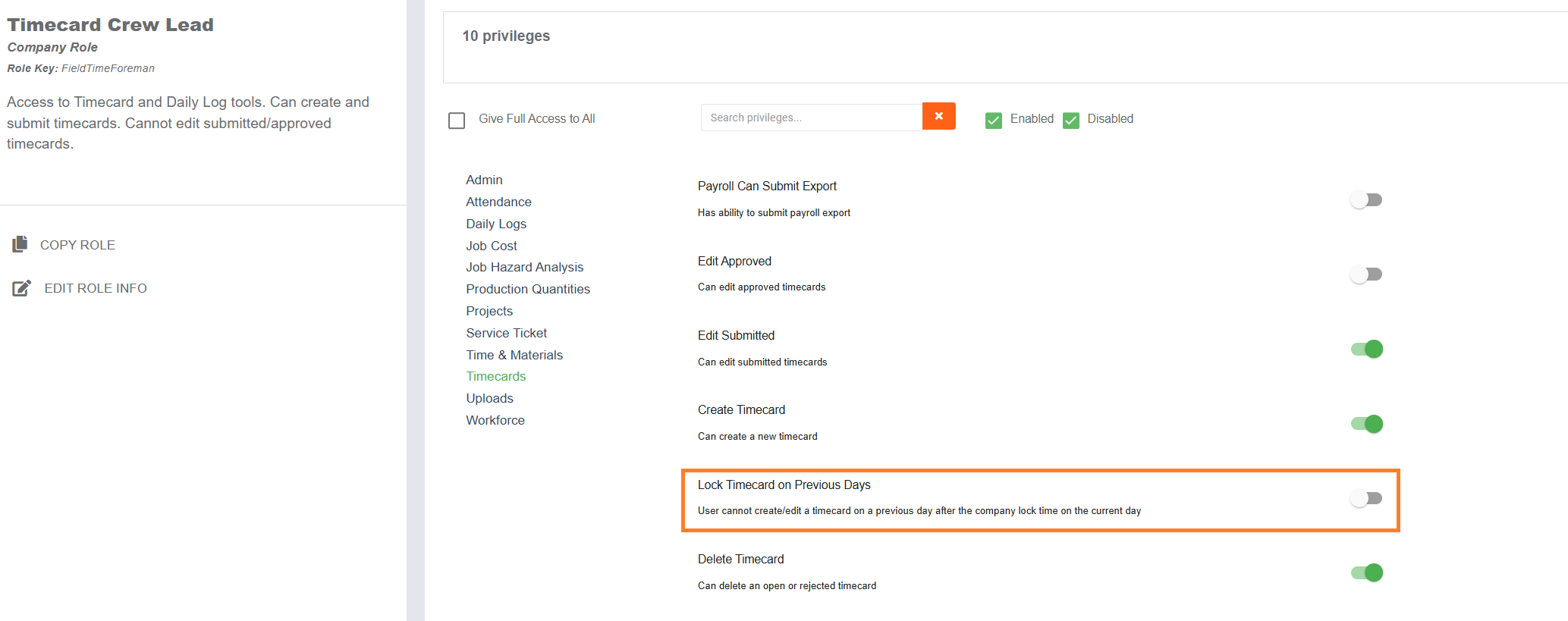
This setting only affects users who have certain permissions. On each security role, within the timecard section, there is a permission level for "Lock Timecard on Previous Days". If turned ON, this permission level overrides the "Edit Submitted", "Edit Approved", "Edit Exported" for previous day timecards after the time selected within the company option. Users would still be able to create/edit/approve timecards for current or future days. By default, no security roles have this permission level toggled ON.
Any company who would like to use this feature will need to set up the company option correctly and then adjust the permissions within their security roles accordingly.
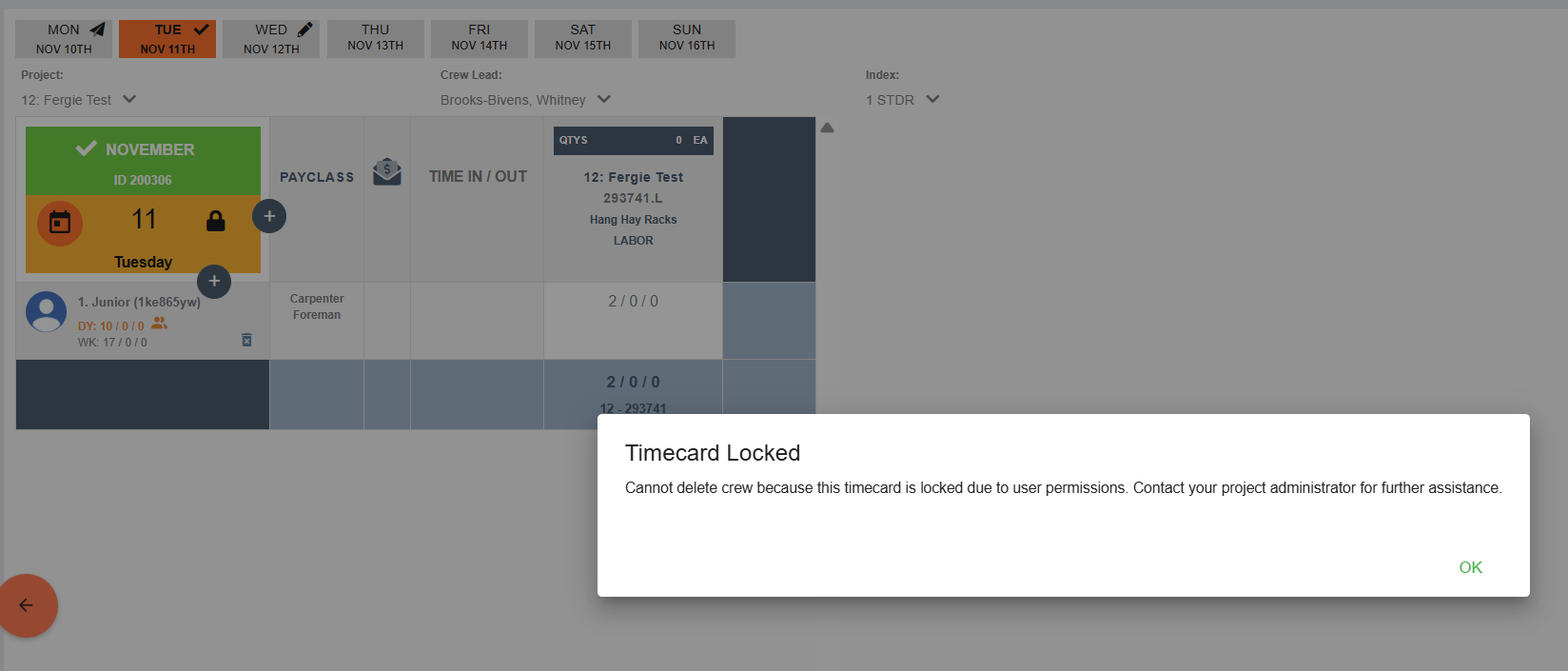
If a user has this permission level toggled ON, then this is what a previous day timecard would look like for that user.
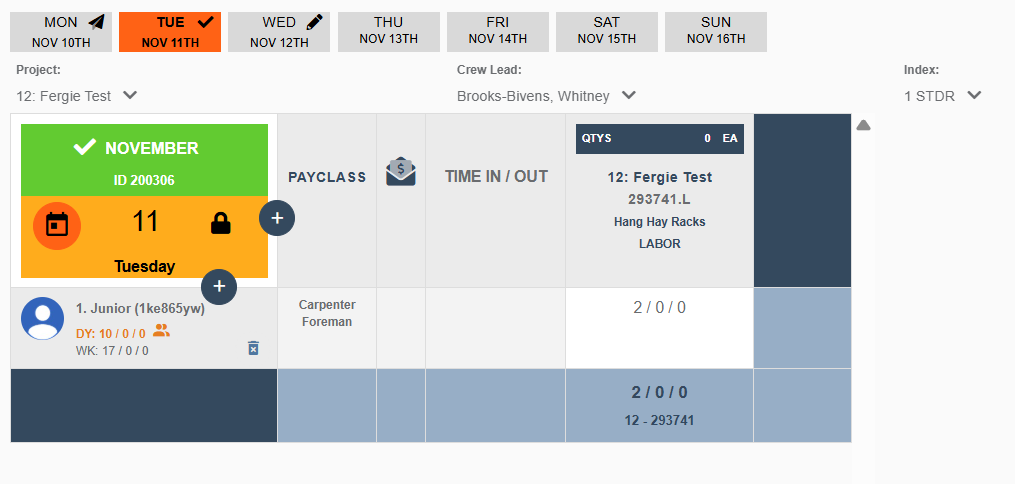
Note the orange/locked designation in the top left corner. Additionally, any clickable buttons (editing crew, cloning, etc) will deliver a pop up message letting the user know that the timecard is locked due to user permissions.