


Riskcast provides multiple note fields across the platform to help capture important jobsite context, improve communication, and support reporting. This article focuses on the note types available within the Timecards and Daily Log modules.
Why Notes Matter
Using notes effectively allows teams to:
-
Provide context behind hours, costs, and quantities
-
Improve communication between field and office
-
Support payroll, billing, and compliance documentation
-
Reduce back-and-forth when reviewing timecards and reports
Types of Notes in Riskcast
Below are the primary note types and how they’re typically used:
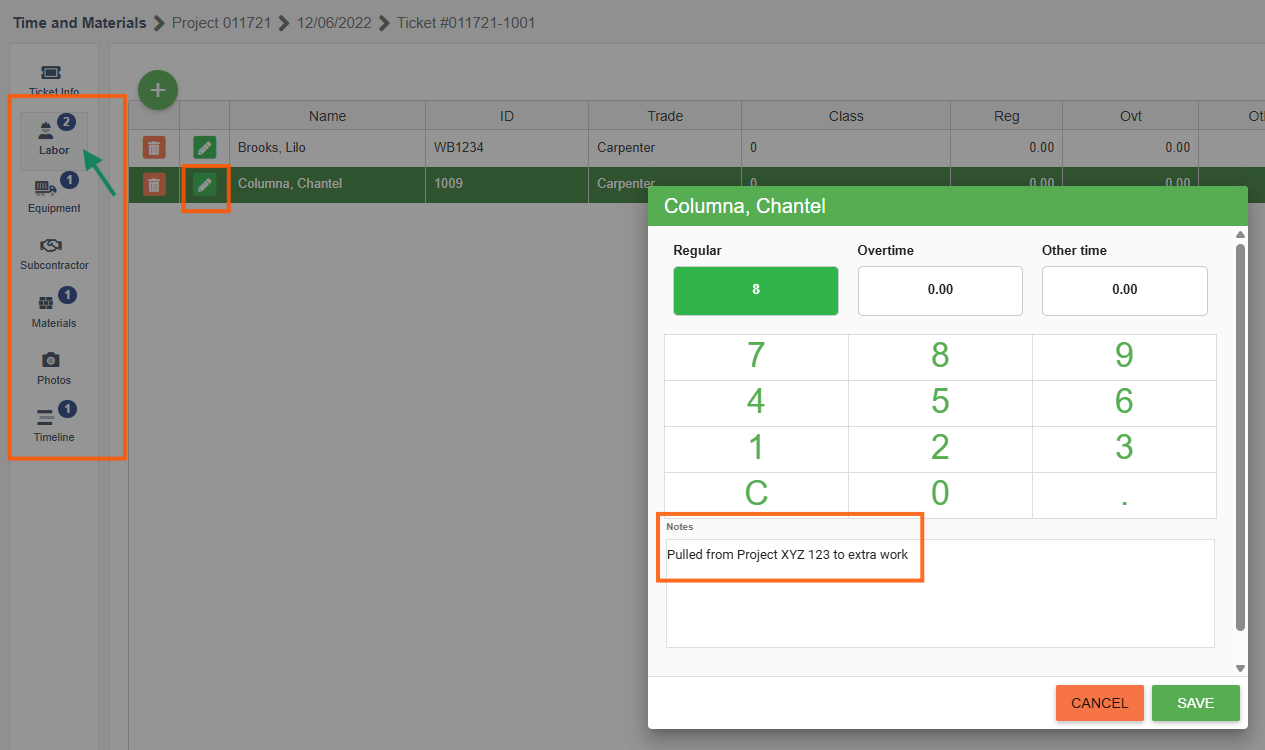
T&M Notes
-
Used to describe specific work performed related to Labor, Equipment, Subcontractors, and Materials.
-
Common for Time & Material (T&M) tracking
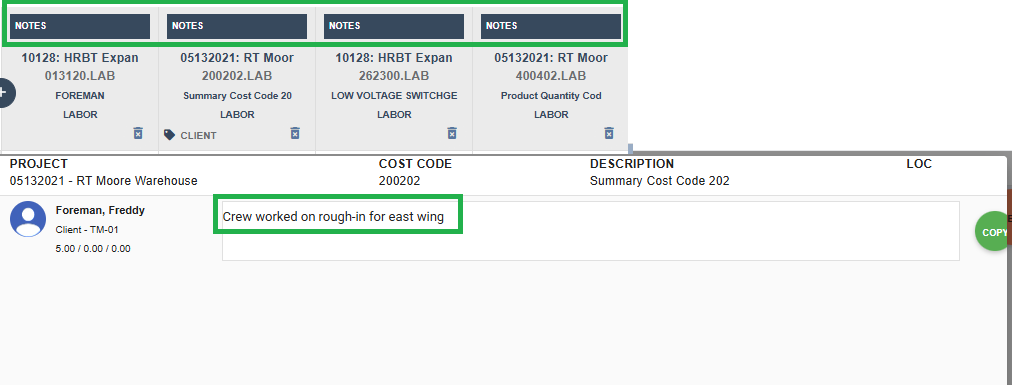
Crew Notes
-
Apply to the individual crew members for that timecard
-
Useful for high-level summaries of the day’s work
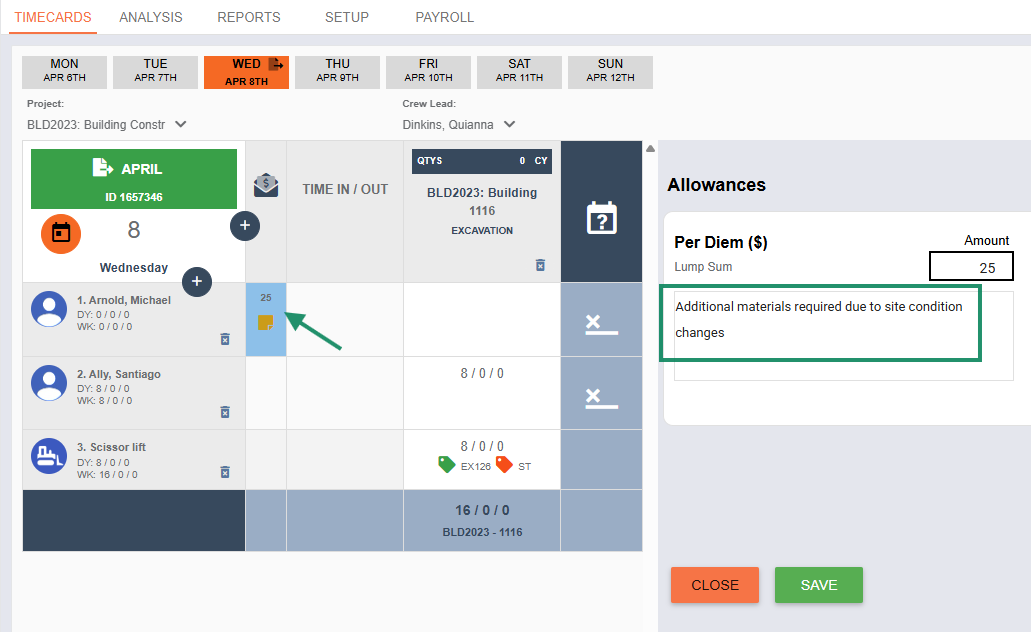
Allowance Notes
-
Attached to allowance entries
-
Provide context for budget usage or changes
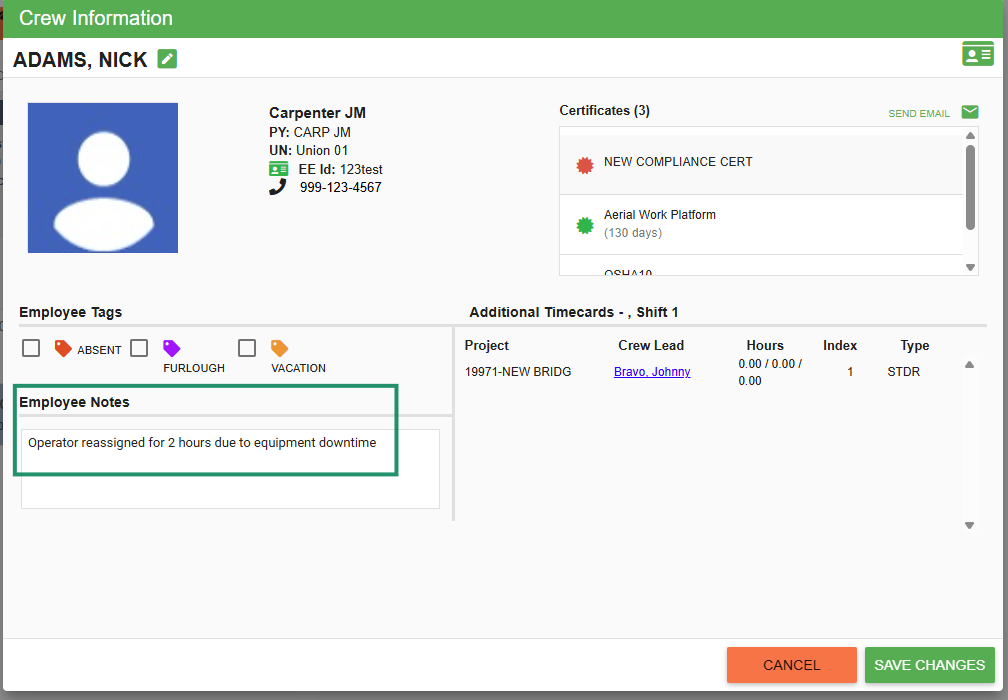
Employee / Equipment Notes
-
Entered at the individual employee or equipment level
-
Used for tracking specific issues, delays, or exceptions
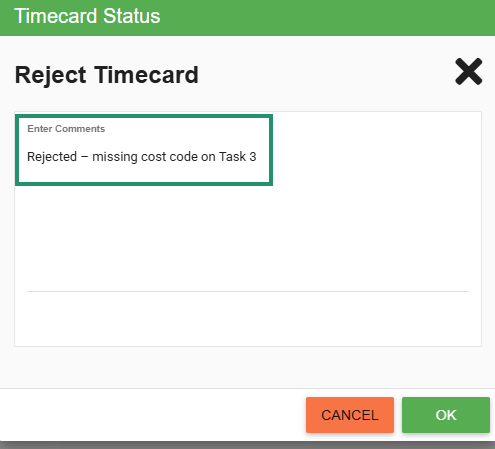
Timecard Status Notes
-
Added when updating the status of a timecard (e.g., submitted, approved, rejected)
-
Commonly used by reviewers or payroll teams
Daily Log Notes
-
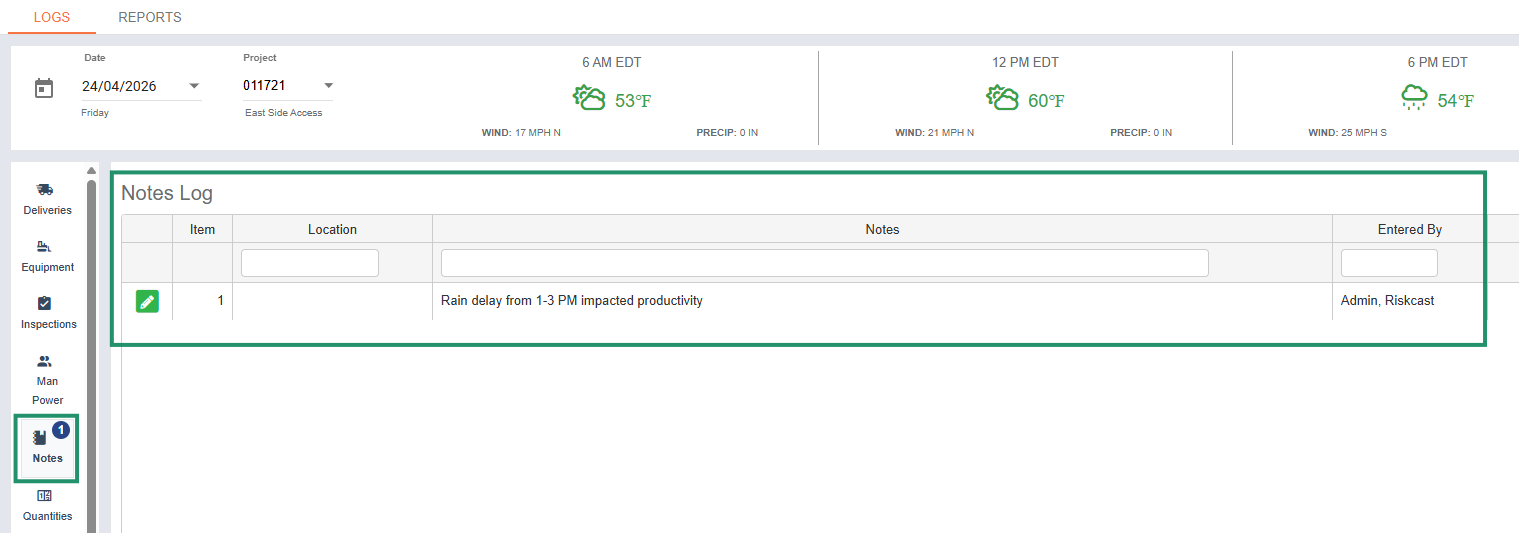
Found within the Daily Log module
-
Used for capturing overall jobsite activity, conditions, or events
Where to Find Notes
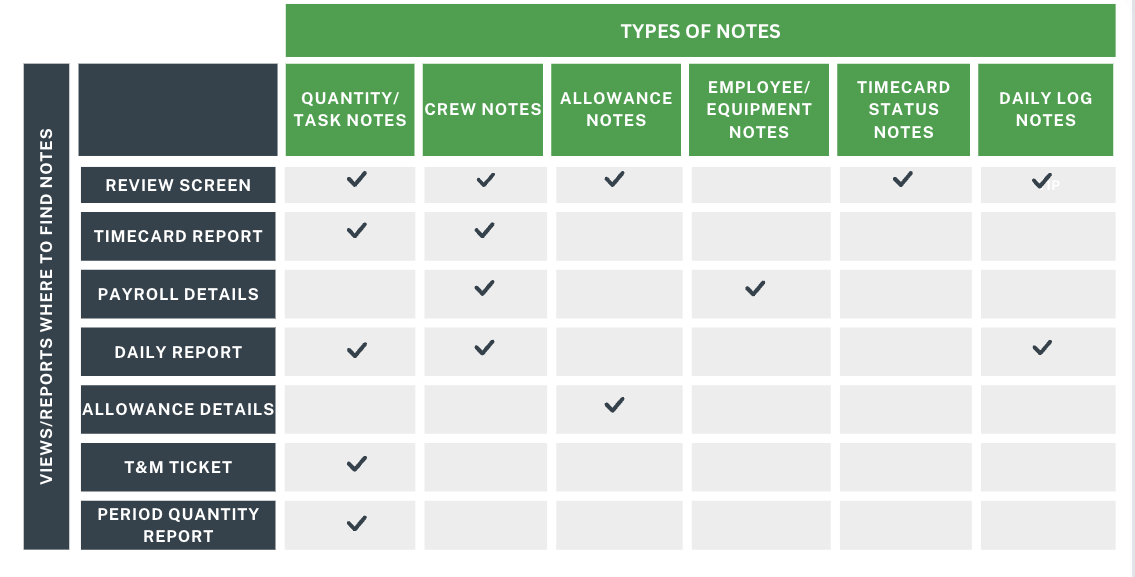
Notes entered throughout Riskcast can be viewed in multiple areas:
Best Practices
-
Be specific and concise
Clear, detailed notes reduce follow-up questions later. -
Use the right note type
Enter notes at the appropriate level (task vs. crew vs. employee) for better reporting and visibility. -
Standardize common phrasing
Consistency helps when filtering or reviewing reports across projects. -
Capture issues in real time
Encourage field teams to enter notes as work happens to improve accuracy. -
Leverage notes for reporting and billing
Especially for T&M work, strong notes can directly support invoices and client communication.
Common Mistakes to Avoid
-
Entering all notes at the crew level instead of task level
-
Leaving notes blank
-
Using vague language like “worked on project”
-
Forgetting to add notes when rejecting or adjusting timecards

