


Temp Employee Upload

Apr 29, 2026
 85
85
Overview
The Temp Employee Upload feature allows users to quickly add temporary employee records into the system. You can include as much or as little information as needed, with required fields clearly indicated.
1. Navigate to Uploads
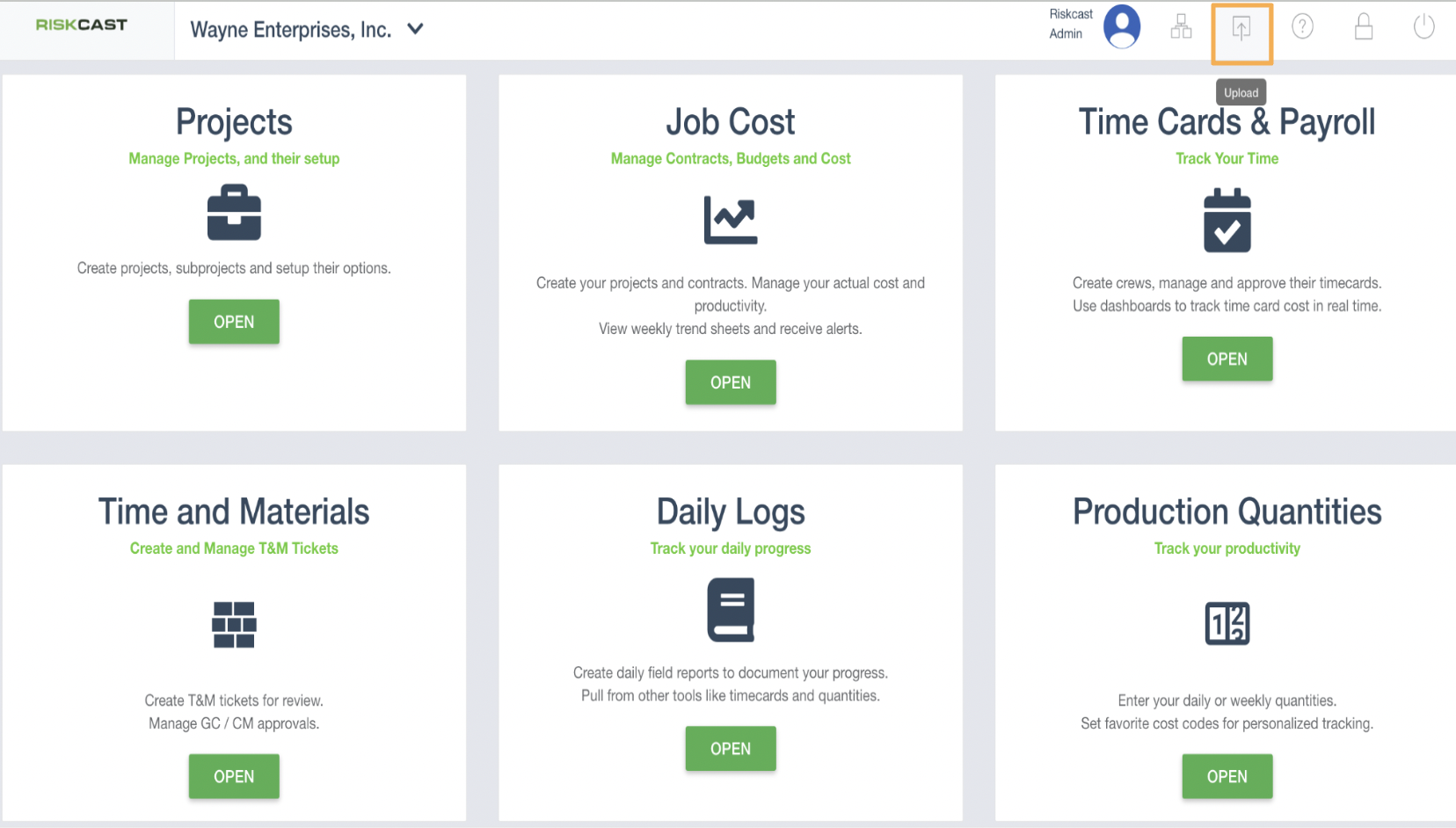
2.
Select Upload Type
- Click on the Employee tab
- Change the upload type to Temp Employee
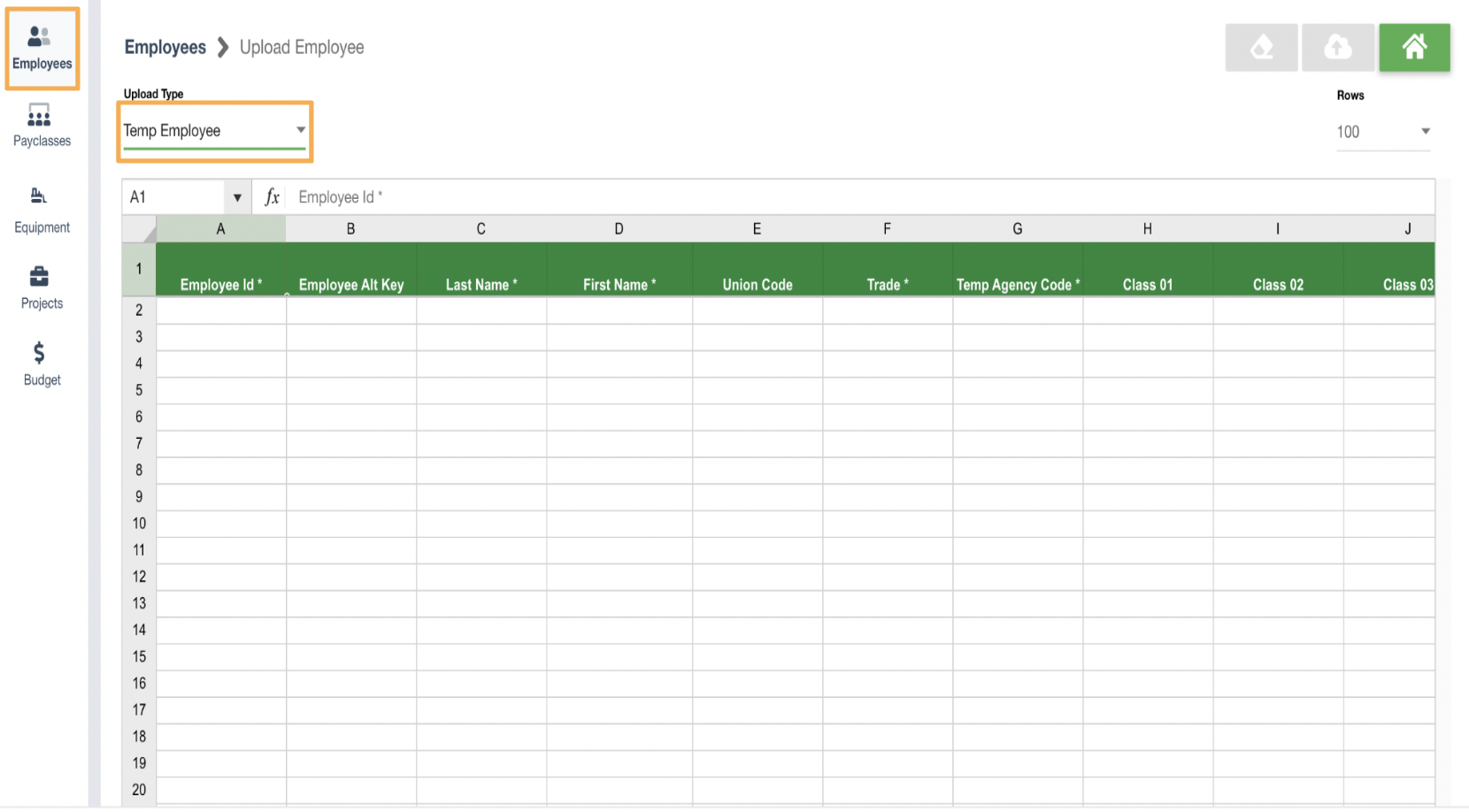
3. Enter Employee Information
- Fill in the required fields (marked with a *)
- Add any additional optional details as needed
4. Complete the Upload
- Click the Upload button once all information is entered
Best Practices
- Ensure required fields are complete - Double-check all fields marked with a (*) to prevent upload errors.
- Prepare data outside the system first - Build and review your employee list in a spreadsheet before entering it into Riskcast. Then copy and paste into the upload grid to avoid losing work or having to start over.
- Use consistent naming formats - Maintain standard formats for names and IDs to avoid duplicates or confusion.
- Validate data before uploading - Review entries for typos or incorrect formatting to reduce the need for corrections later.

