


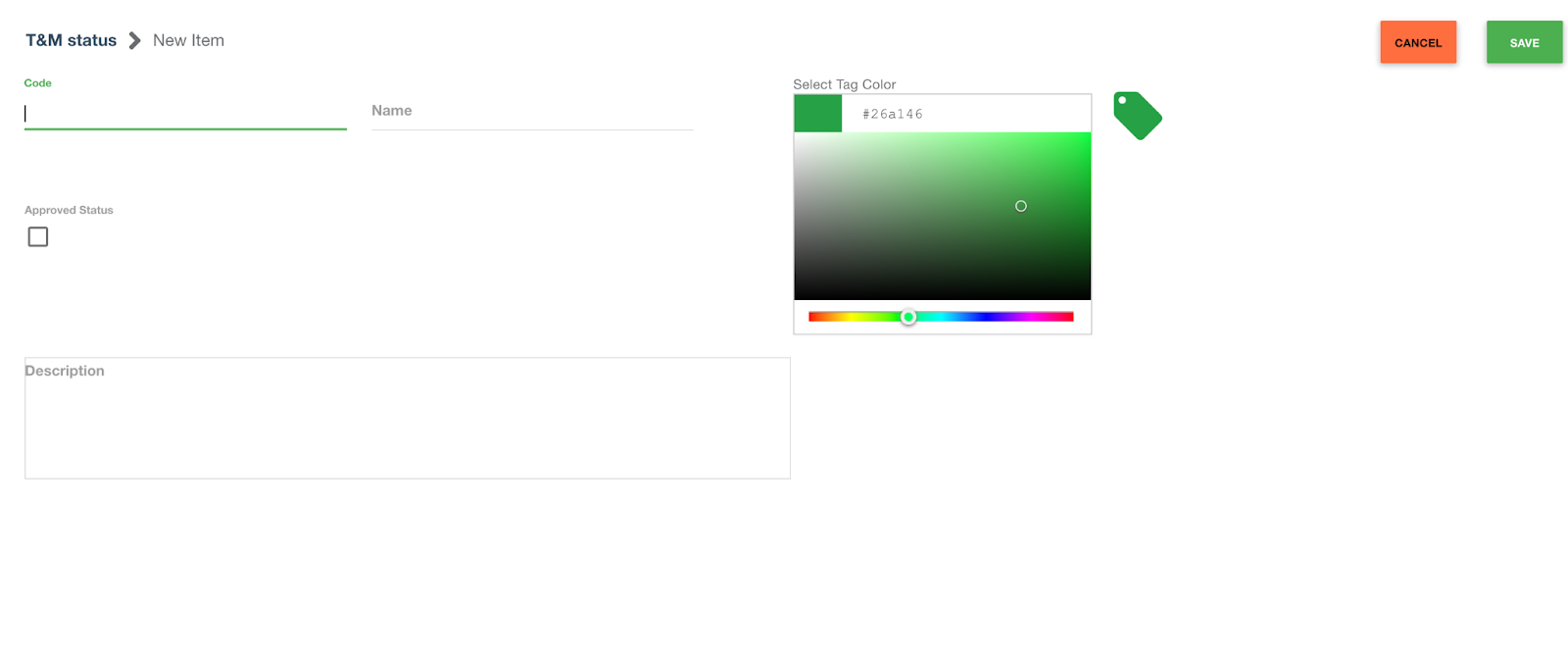
We have a feature that allows the users to manage their T&M statuses and their status behavior. A user can define whether the status behavior is approved, or pending. Users only have to select the "approved" status checkbox to indicate the behavior.
Setting a ticket status behavior as approved, allows you to group tickets in packages, among other things.
How it works:
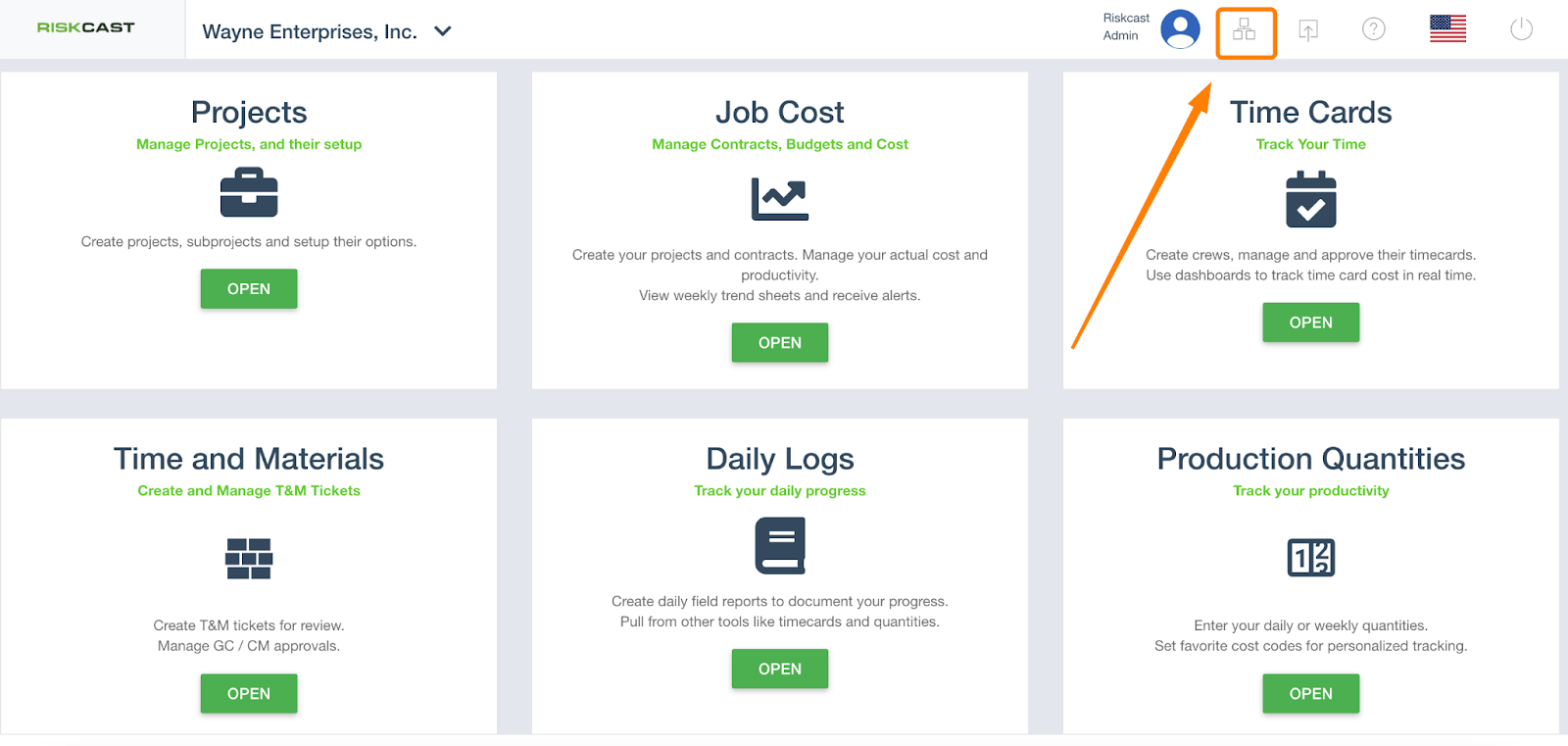
1. Go to Organization
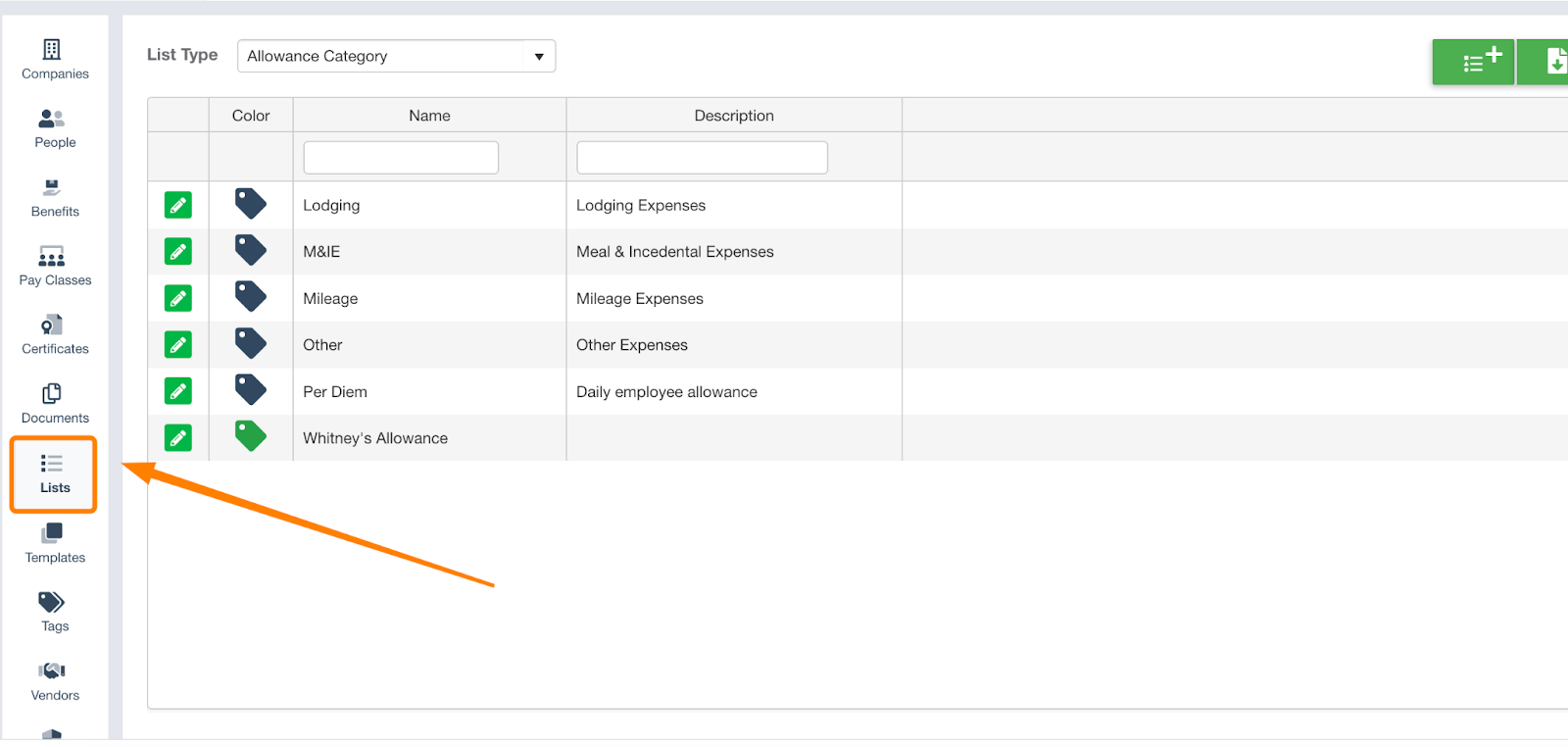
2. Select 'Lists' from left hand menu
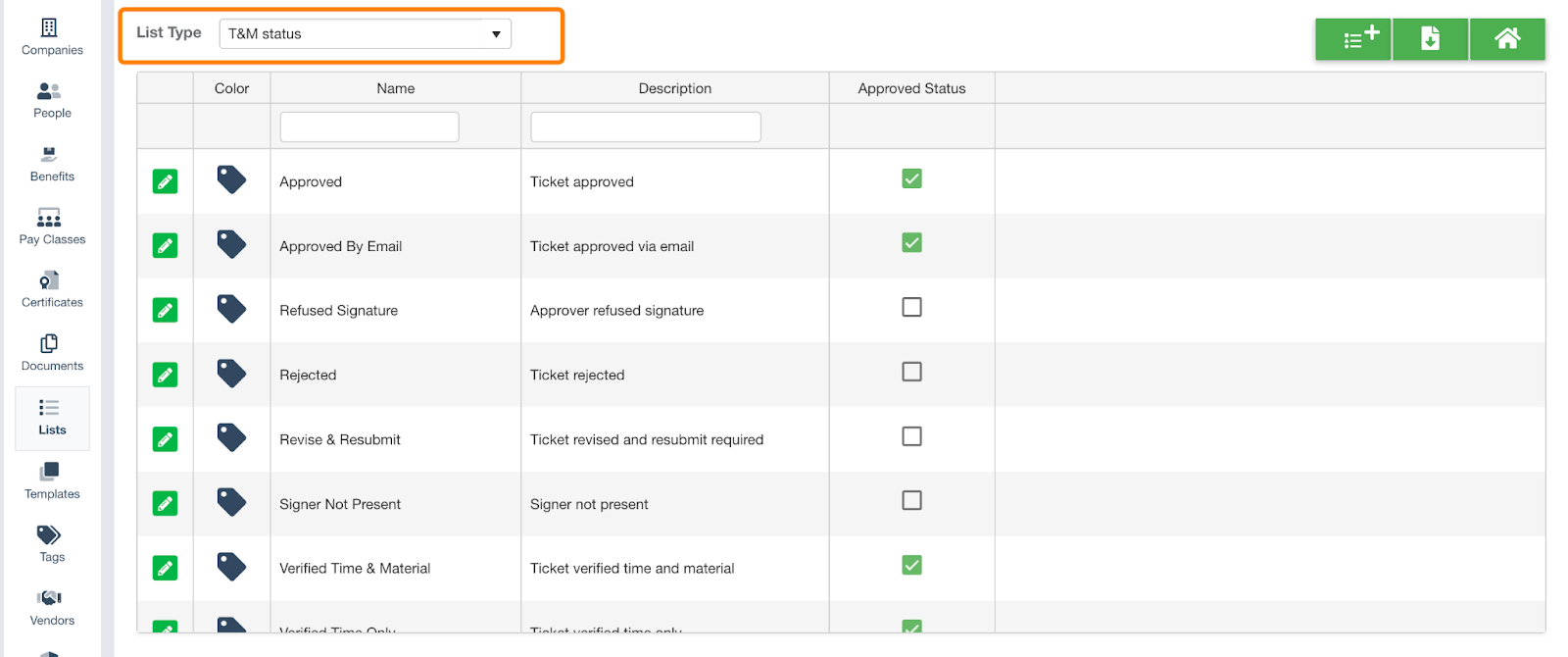
3. Under the List Type, select "T&M Status"
4. Create New Status: You'll need to define Code, Name, Status Behavior: "Approved Status", and color
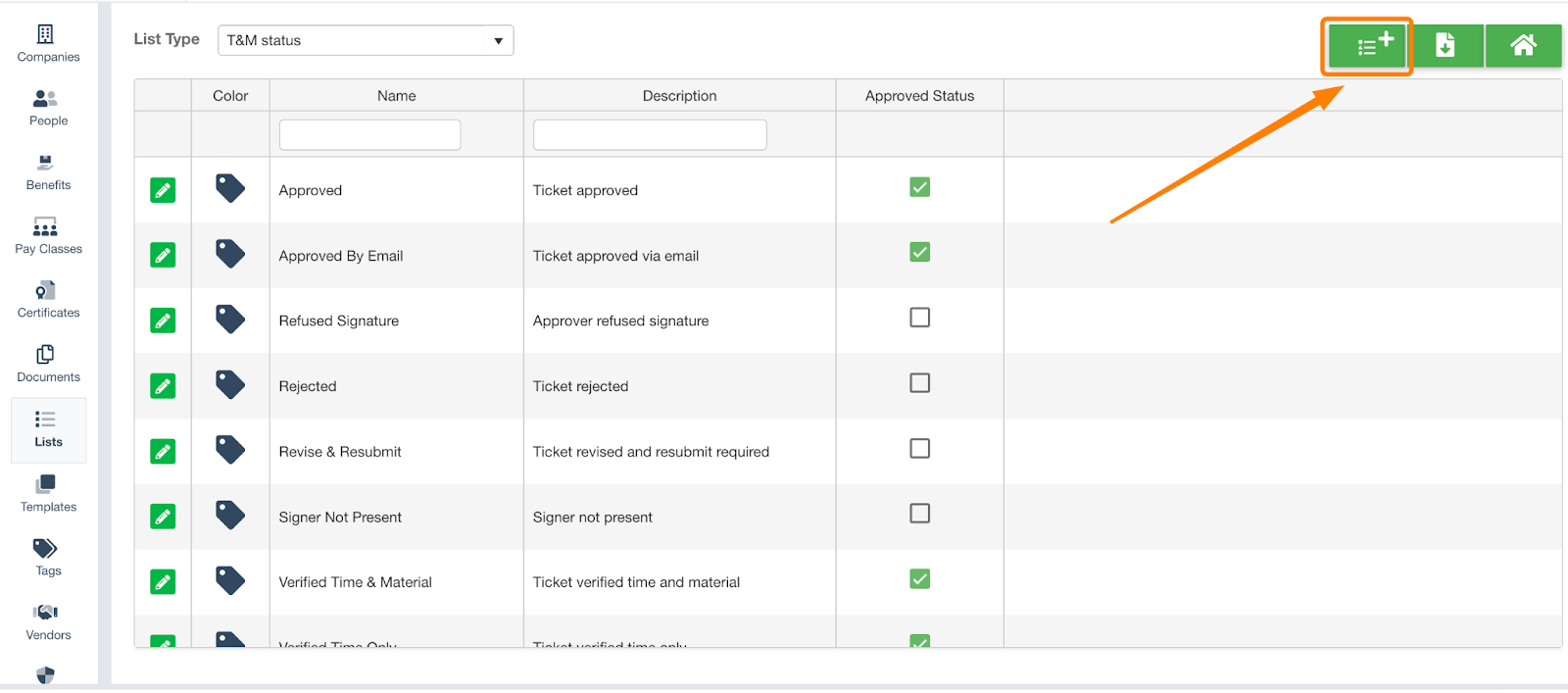
To the statuses that already exist within our default list, in order to designate them as a “approved” all you need to do is select the corresponding checkbox under the column “Approved Status”

